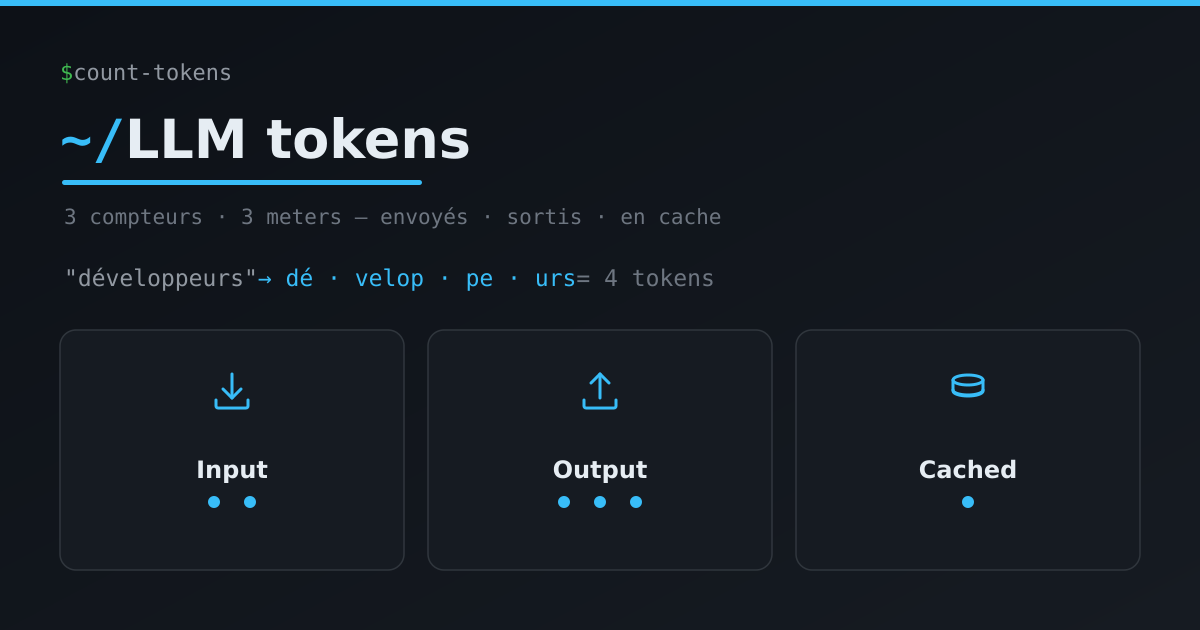
The moment you start using AI models (through an API, GitHub Copilot or a chatbot), one word is everywhere: token. On your bill, in the limits (“context window”), in the error messages (“too many tokens”). And there’s even a distinction between input tokens, output tokens and cached tokens, each at a different price.
It sounds arcane. In reality, once you have the right mental image, it all becomes clear. So let’s take the meter apart. You’ll see: it’s not rocket science.
First: what is a token?
A language model doesn’t read words, and it doesn’t read letters either. It reads tokens: small chunks of text. Before processing your sentence, the model runs it through a shredder (the tokenizer) that cuts it into tokens.
A token is neither a word nor a letter. It’s a chunk: often a syllable or a common piece of a word. Rule of thumb in English: 1 token ≈ 4 characters ≈ ¾ of a word. In other languages (French, for instance), expect a bit more (accents and long words split further).
The clearest way to get it is to see it. Here are real splits, using the tokenizer of the recent GPT models:
| Text | Number of tokens | Split |
|---|---|---|
Hello world |
2 | Hello · world |
Bonjour le monde |
3 | Bonjour · le · monde |
développeurs (French) |
4 | dé · velop · pe · urs |
anticonstitutionnellement |
5 | ant · icon · stitution · nel · lement |
🎉 (emoji) |
2 to 3 | depending on the model |
| ` def hello():` (indented) | 4 | indentation counts too |
Three lessons jump out:
- A common word like
world= 1 single token, but a rare or long word likedéveloppeursis worth 4 all by itself. - Non-English text costs more than English: accents and long words fragment more.
- Everything counts: spaces, code indentation, emojis. Even a plain 🎉 weighs several tokens.
The best thing is to try it yourself: paste any text into tokenizer.openai.com and watch it split in real time. It’s the best way to build an intuition.
The three meters: input, output, cached
Now that the shredder is running, there are three separate meters — and that’s where your bill is decided.
1. Input tokens
These are all the tokens you send to the model on each request. And beware, it’s not just your current question. It’s:
- the system instruction (the role, the guidelines);
- the entire history of the conversation so far;
- your current message;
- the tool definitions available (for example the schemas of MCP servers);
- the documents or context you attach.
Crucial point: you pay for them on every turn. The bigger the conversation gets, the bigger the input grows, and the more each new request costs. That’s exactly why, in my article on customizing GitHub Copilot, I stressed that a big instructions file or too many MCP servers “weigh”: all of that is input tokens, sent on every single call.
2. Output tokens
These are the tokens the model generates in response. And here’s the surprise: they’re usually more expensive, often 3 to 5 times the price of an input token.
Why? Because producing a token takes the model real compute (it “thinks” one token at a time), whereas reading the input is comparatively fast. It’s also the reason for the max_tokens parameter: it caps the length of the answer to avoid nasty surprises.
3. Cached tokens (prompt caching)
Here’s the trick that changes everything. If you resend the same prompt prefix from one request to the next (a big system prompt, a long reference document), the provider can keep it in memory (cache it) and reread it without recomputing everything.
The result: those tokens are billed at a fraction of the normal price (up to ~90% cheaper) and the answer arrives much faster (up to ~80% less latency). The model has “already chewed” those tokens recently, so it doesn’t start from scratch.
The golden rule to benefit from it: put the stable content at the beginning (instructions, fixed documents) and the variable content at the end (the user’s question). Depending on the provider, caching is automatic or has to be enabled explicitly, but the principle is the same everywhere.
Every model has its quirks
We talk about tokens as if they were a universal unit. That’s not quite true: every model has its own shredder and its own bowl.
Its own shredder (the tokenizer)
Each model family cuts text its own way. OpenAI’s GPT models use the tiktoken library, with several encodings depending on the generation (cl100k_base for GPT-4, o200k_base for the more recent models). Claude, Gemini and Llama each have their own.
Very concrete consequence: the same text is not the same number of tokens from one model to another. Our 🎉 emoji is 2 tokens with a recent OpenAI encoding, but 3 with the older one. So “that’s 500 tokens” only means something for a given model. For an exact count and a reliable cost estimate, always use the tokenizer of the provider you’re targeting. And to visualize it on the OpenAI side, tokenizer.openai.com remains the most telling tool.
The size of its bowl (the context window)
The context window is the model’s maximum working memory: the total number of tokens it can take into account at once — input and output combined. It’s the size of the bowl you pour the tokens into.
That size varies enormously from one model to another: on the order of 128,000 tokens for some, up to a million and beyond for others (and it’s evolving fast). When you exceed that ceiling, the model can’t “keep it all in mind”: you have to truncate or summarize the context. That’s precisely what happens when a very long conversation or a very large file eventually “saturates”.
A big bowl is handy, but remember the three meters: the more you fill the context, the more input tokens you pay on every turn. The right context size is the smallest one that gets the job done.
The recap table
| Token type | What it is | Relative cost | How to trim it |
|---|---|---|---|
| Input tokens | Everything you send: system, history, message, tools, documents | 💶 normal, paid on every turn | Short context, pruned history, only enable useful tools |
| Output tokens | What the model writes back | 💶💶💶 the most expensive (often 3–5×) | Ask for concise answers, cap max_tokens |
| Cached tokens | The repeated prefix, “chewed” recently | 💶 a fraction (up to ~90% off) | Put the stable content first, variable content last |
And for the per-model quirks:
| Concept | What to remember |
|---|---|
| Tokenizer | Every model splits differently → the same text = a different token count. Count with the right provider’s tokenizer. |
| Context window | The max working memory (input + output). From ~128k to 1M+ depending on the model. Exceeding it forces truncation/summarization. |
A few reflexes to trim the bill
- Put the stable stuff first. Instructions and fixed documents up front → the cache does the rest.
- Be concise in output. It’s the priciest token: ask for short answers when you can.
- Prune the context. History and large documents are resent on every turn. Keep only what’s useful.
- Cut the useless tools. Inactive tool/MCP server schemas take up context for nothing.
- Mind non-English text. It’s more “verbose” in tokens than English (handy to know when estimating a cost).
- Pick the right context size. A 1M-token model is tempting, but a smaller, better-filled bowl often costs less.
In a nutshell
- The model reads and writes in tokens, not words. A shredder (the tokenizer) cuts everything up first.
- Three meters: input tokens (everything you provide, paid on every turn), output tokens (what it generates, the most expensive), cached tokens (the repeated prefix, at a slashed price).
- Every model has its own shredder (different counts for the same text) and its own bowl (the context window).
Next time you see “tokens” on a bill or in a limit, you’ll know exactly what’s behind it. And honestly… that’s not rocket science.